Back to the Core Chinu case study
First, the prototype
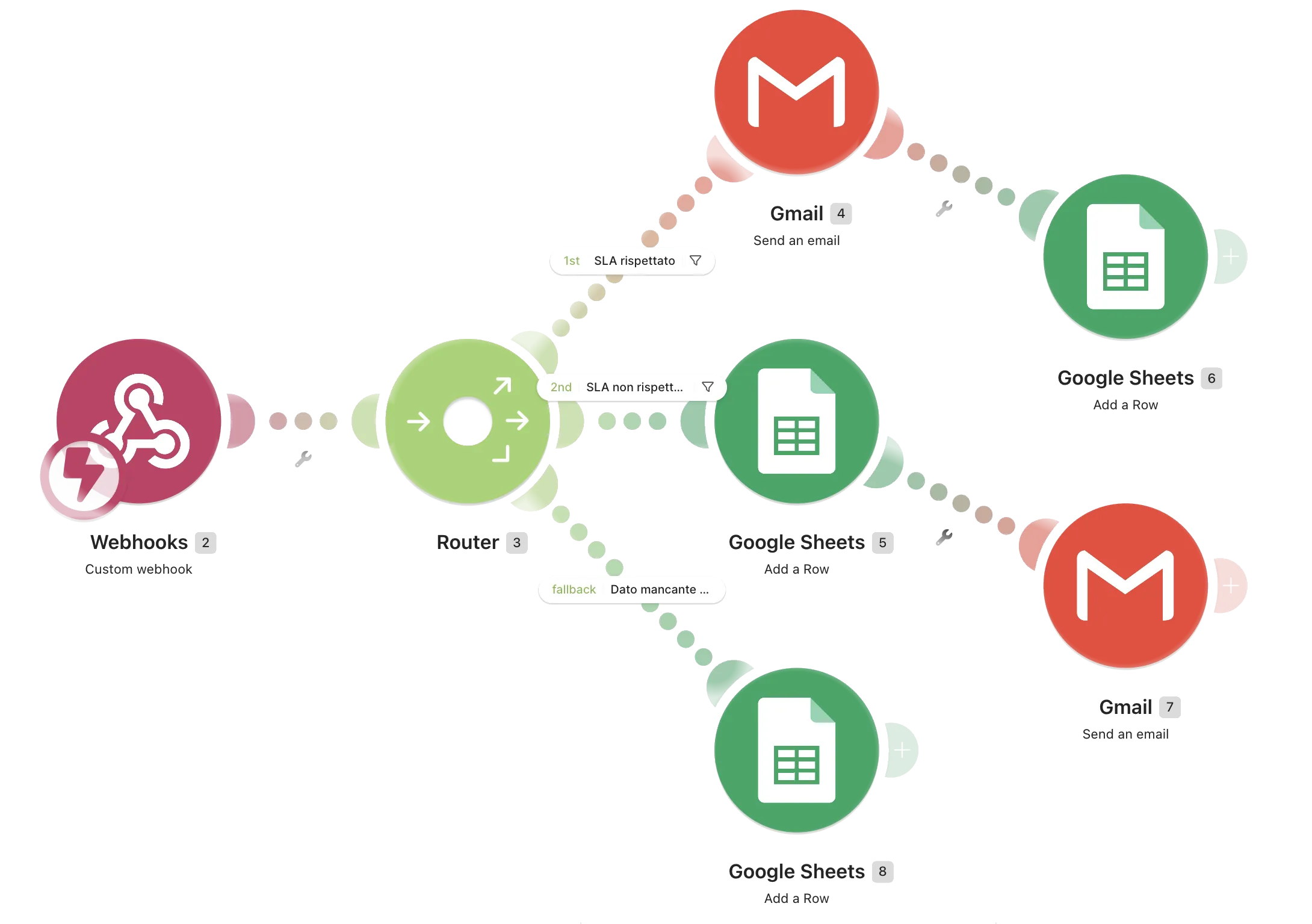
I built the automation in Make.com as a working prototype and actually ran it, using simulated delivery events to check that each case was handled as expected.
This was mainly useful for finding errors before thinking about a real implementation: a diagram can tell you that the logic seems to work, but only by running it in practice can you see what happens when a piece of data is missing, arrives in the wrong format, or a step doesn’t behave as expected.
The automation has one simple job for every delivery: were the 24 hours respected, or not? It takes the delivery event, compares it with the expected time window, notifies the customer or the team depending on what happened, and records the outcome in a spreadsheet.
Inside the scenario
The scenario has seven modules: one webhook, one router and three paths.
The numbers you see in the screenshots are the ones assigned by Make.com. The count starts at 2 because module 1 belonged to something that is no longer part of the scenario: Make doesn’t reuse the numbers of deleted modules. I left them as they are because the images are real screenshots of the scenario, and I wanted the text and the canvas to match.
The router then splits the event into three cases: delivery within 24 hours, delivery taking longer than 24 hours, or missing/unreadable data.
When everything goes right
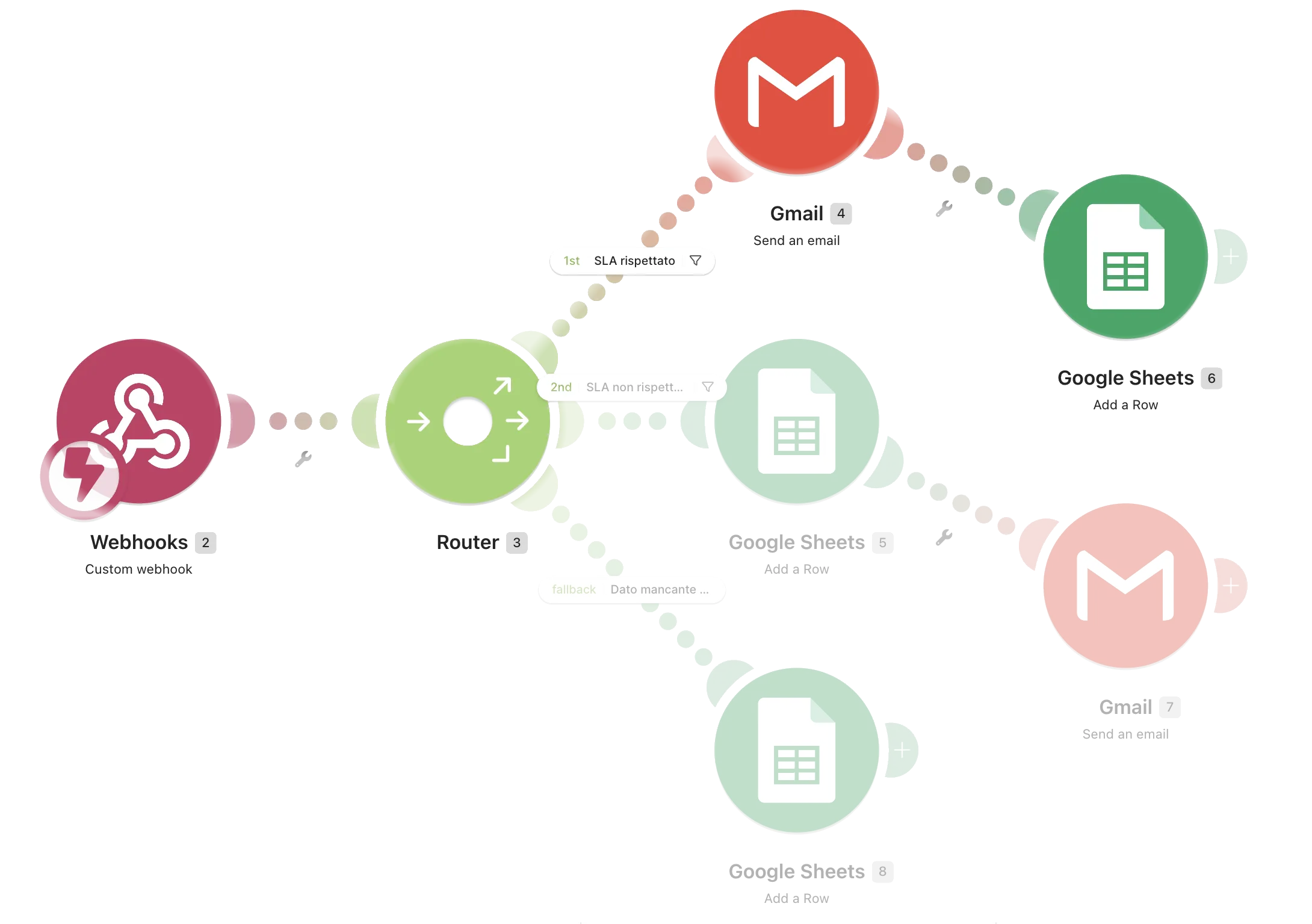
The SLA rispettato filter lets through deliveries completed within the expected 24 hours.
At that point, Gmail (4) sends the customer a short email with the subject line “The pasta made it. Your doubts, not so much.” During testing, I used my own email address in Bcc to make sure the email was actually sent by the workflow as it would have been for a real customer.
Right after that, Google Sheets (6) records the outcome: order ID, customer, delivery time in hours, Rispettato, timestamp and order type.
I made the email go out before the record was created because, in this case, communicating with the customer is the first action to complete; the log comes immediately after and keeps a record of what happened.
When it arrives late
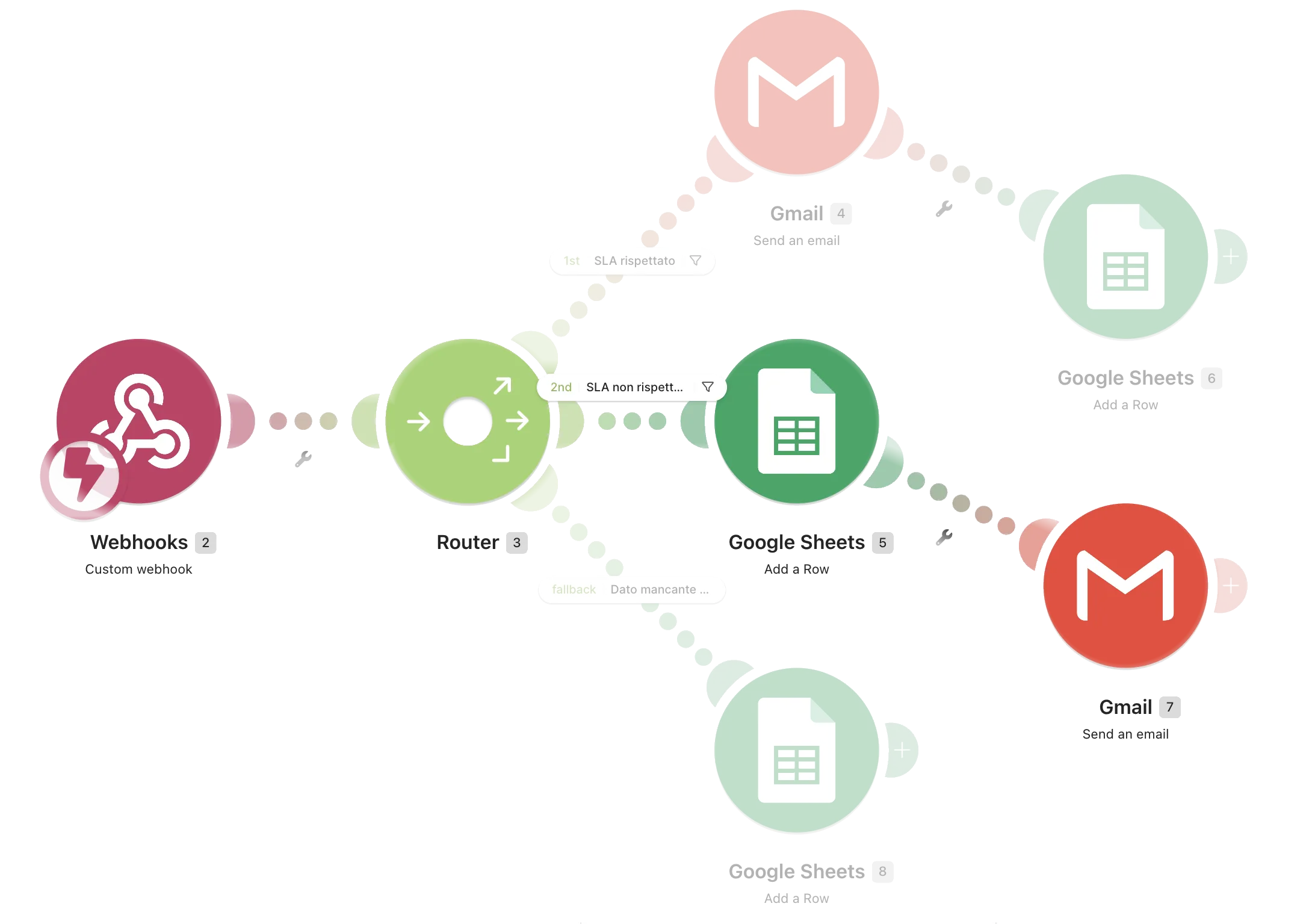
The SLA non rispettato filter catches anything that takes longer than 24 hours.
Here, the workflow changes: first, Google Sheets (5) records the delay, then Gmail (7) sends an alert to customer care with the order number, customer name, email address, delivery time and order type.
In the prototype, the alert goes to my own inbox, which stands in for customer care. The subject line also changes depending on the order type: “Delivery outside SLA” for a repeat order, and “FIRST ORDER — Delivery outside SLA” for a first box.
This distinction gives whoever needs to step in some context straight away. A late first order involves a customer who still needs to see whether the product’s main promise holds up; a late repeat order involves someone who has already tried Core Chinu.
In this case, no automated email is sent to the customer. The problem is logged and flagged to customer care first: the response to the customer should come afterwards, not instead of dealing with the problem.
When I can’t know
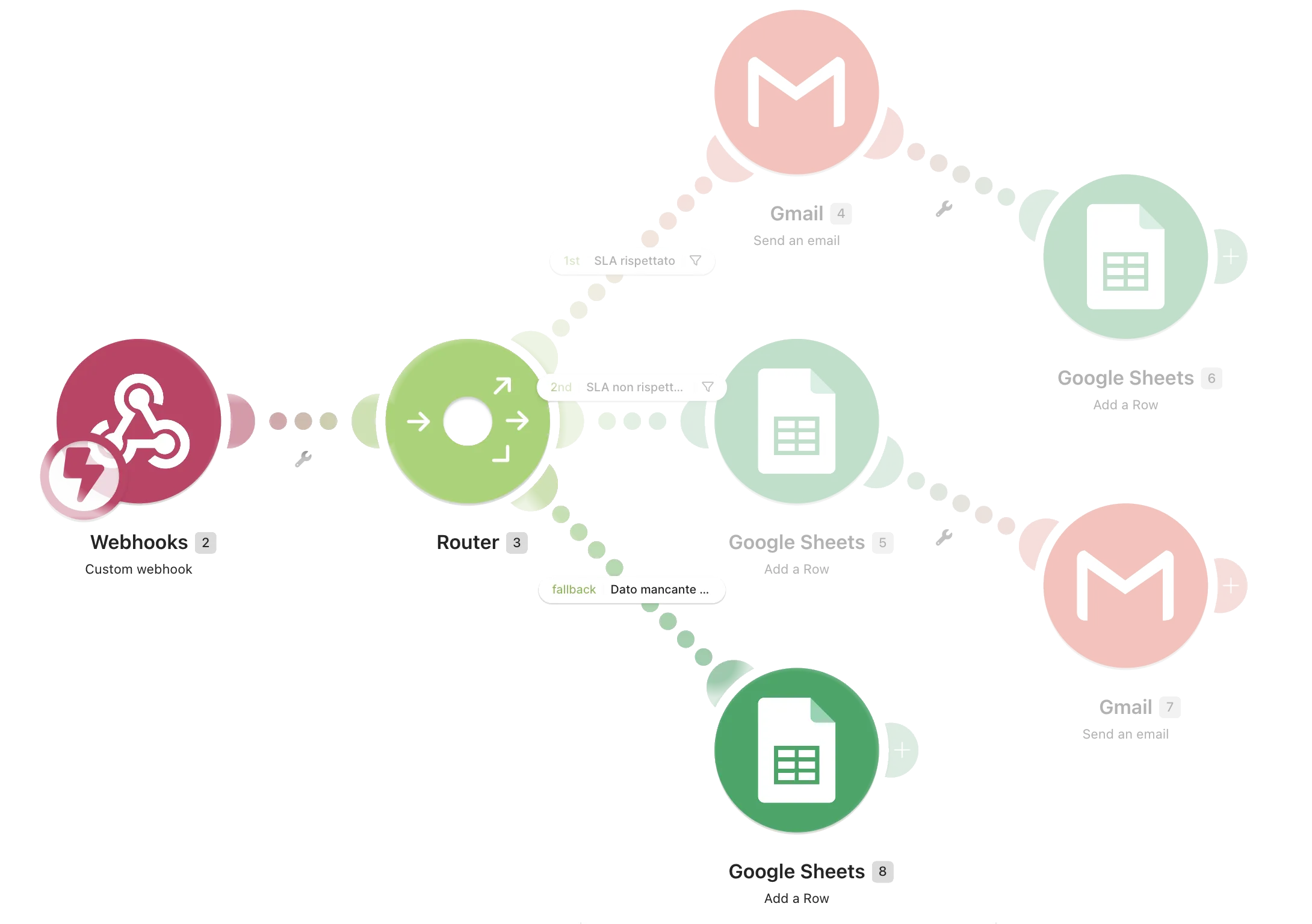
The third path handles cases where the delivery time is missing, empty or unreadable.
I can’t tell whether the 24-hour window was respected, so there’s no reason to send either the confirmation email or the alert. Google Sheets (8) still records the order, marking it as Non classificabile.
It’s a less obvious case than the other two, but that’s exactly why I wanted to handle it: missing data isn’t the same thing as data that says “no”. If I can’t establish what happened, I’d rather record it than make up an outcome.
From prototype to a real project
In the prototype, I simulated the delivery event with a webhook. In production, the flow would instead start from the e-commerce platform:
- Shopify records that an order has been delivered.
- Make receives the event and checks whether the delivery happened within the expected 24 hours.
- If the delivery is on time, Make sends the customer the email “The pasta made it. Your doubts, not so much.”
- Make then records the delivery outcome in Google Sheets, along with the other order data.
The other communications are part of the marketing journey and serve a different purpose: Klaviyo handles the Welcome email with the 15% discount and the Quick 1-Click Refill on day 20.
That way, each tool has a specific role: Shopify records the event, Make handles the delivery logic, Google Sheets keeps the results, and Klaviyo manages the customer’s marketing journey.